Just say what you ate. Ziva handles the macros.
Try it here! Normally, this happens inside ChatGPT or Claude.
See it in action
You talk. Your AI tracks.
Describe what you had for lunch. Your AI matches each item to the USDA food database, calculates the macros, and logs the meal.
Just describe it
Say "chicken salad and a coffee" — your AI handles the rest.
Real food data
Uses USDA FoodData Central for food matches, with estimates when a match isn't available.
No new app
Connect Ziva once, then log meals in ChatGPT or Claude.
 ChatGPT
Native integrations
See your meals, totals, and recipes.
Review a logged meal, check your weekly nutrition charts, or pull up a saved recipe in ChatGPT or Claude.
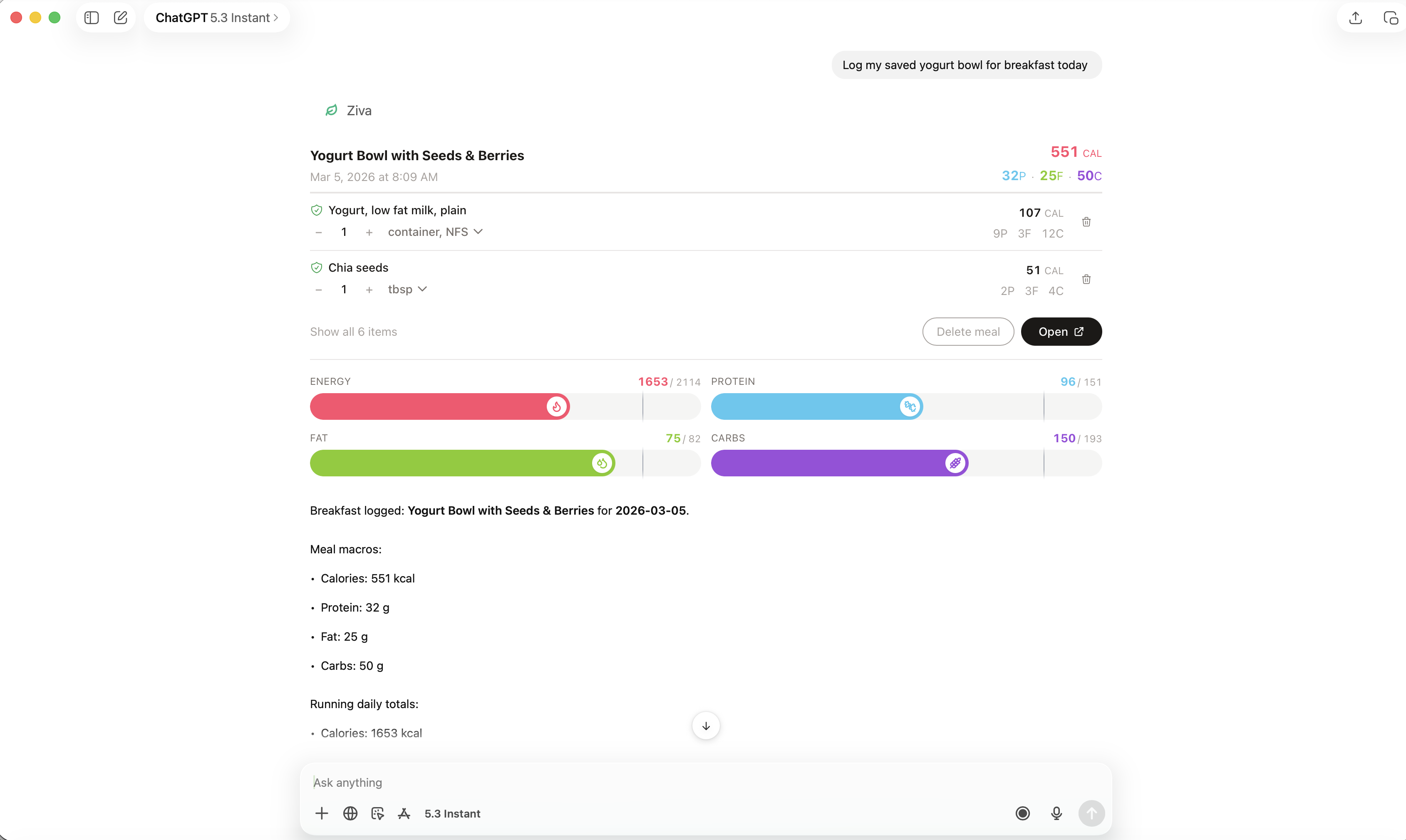
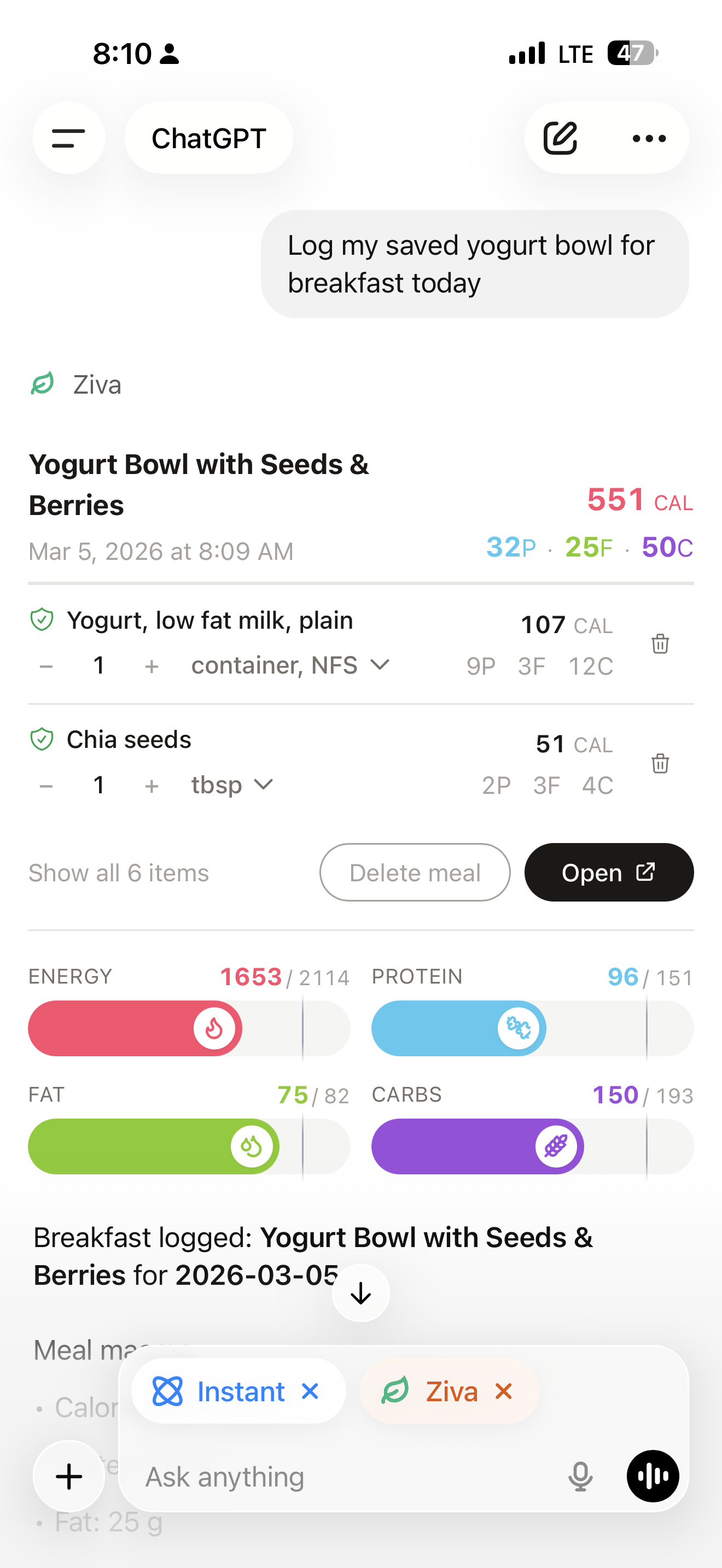
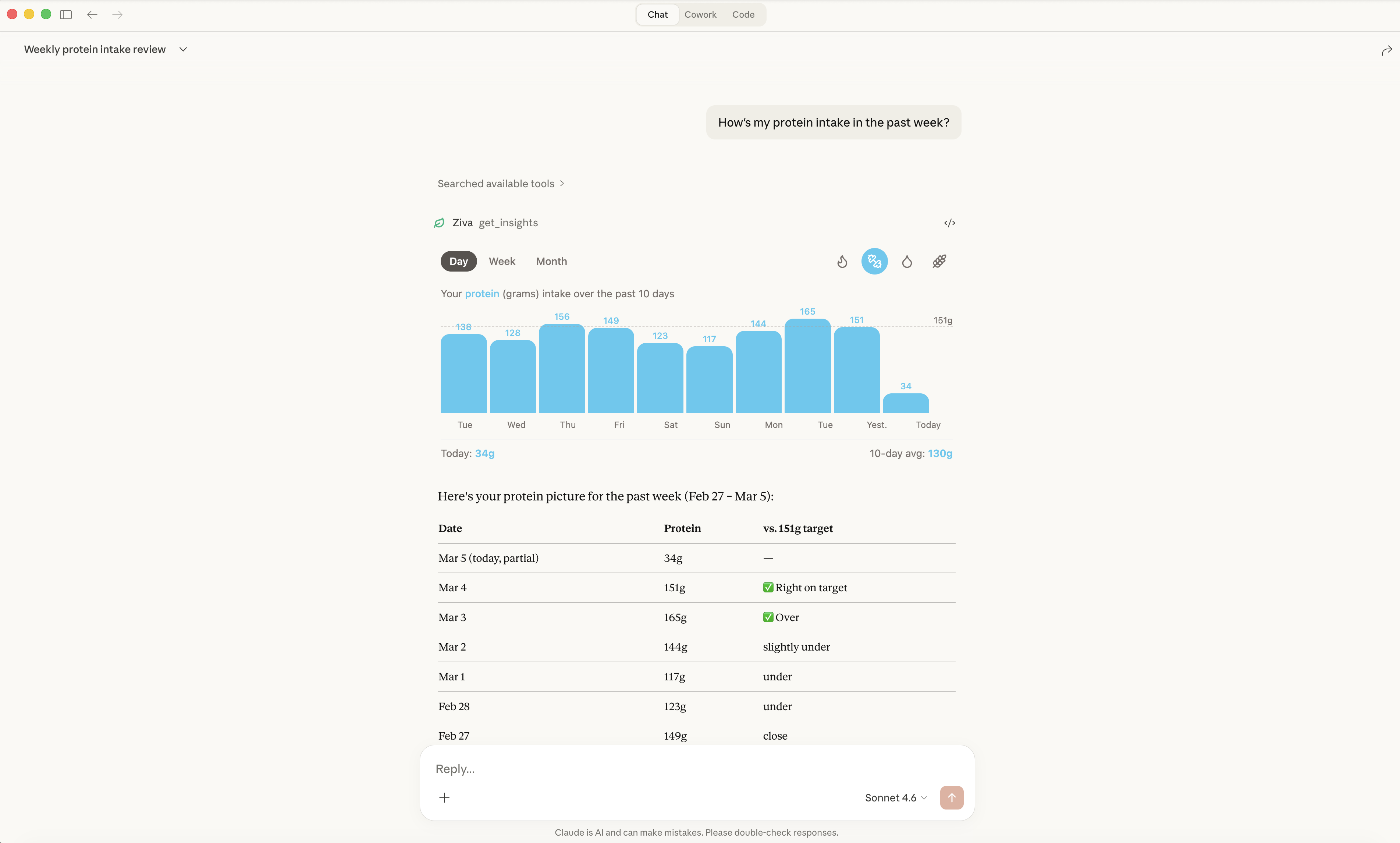
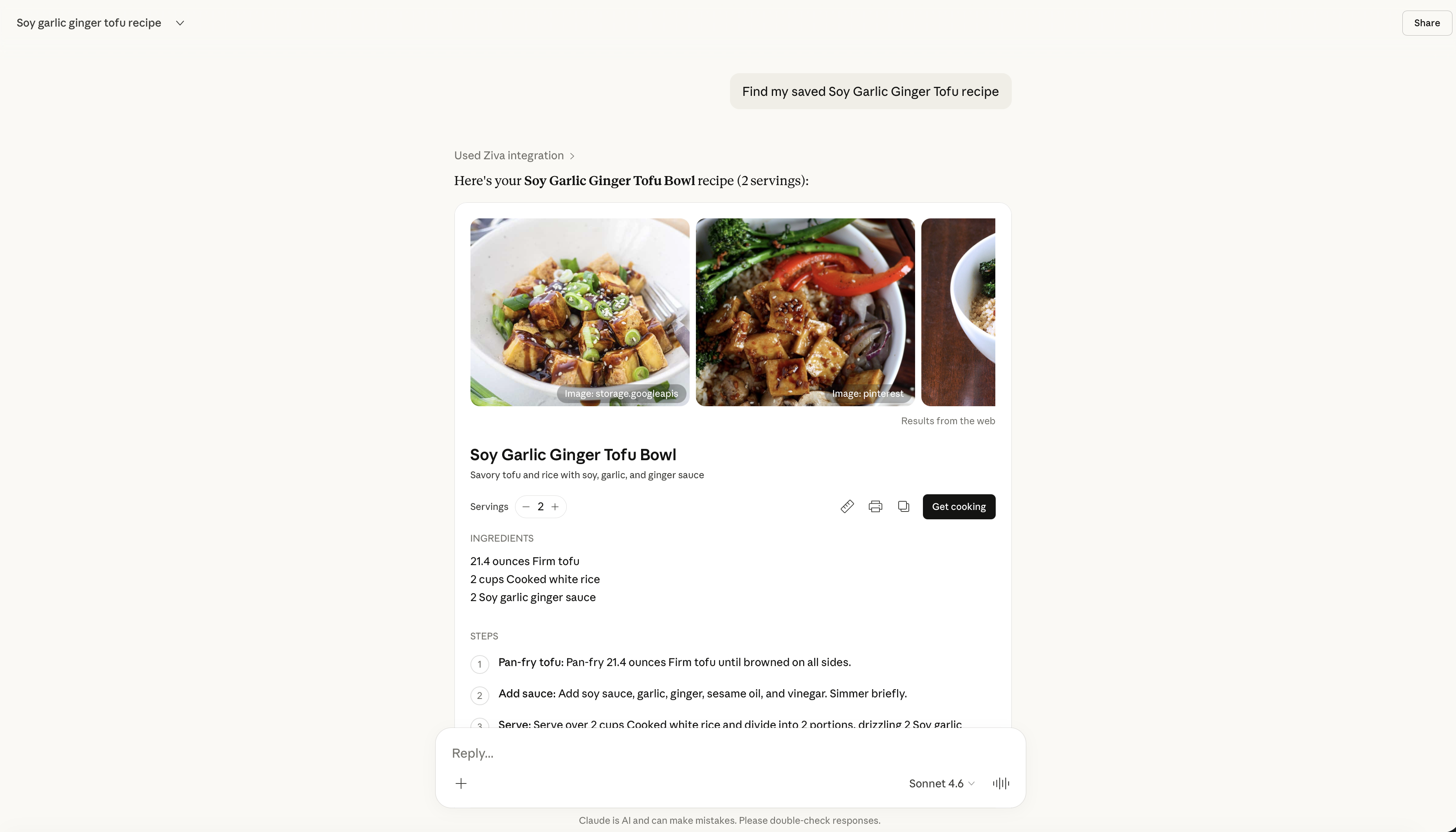
1 of 4 — ChatGPT — Desktop
The difference
Eight steps, or one sentence.
Searching for each ingredient takes time. Ziva lets you describe the whole meal and check your daily totals in the same conversation.
Traditional tracking
8 steps
- 1 Open the tracking app
- 2 Tap "Add food"
- 3 Search "chicken salad"
- 4 Scroll through the results
- 5 Pick the closest match
- 6 Estimate your portion size
- 7 Save and close
- 8 Open again later to check totals
With Ziva
1 sentence
That's it.

Why Ziva
Food tracking takes too much work.
Searching for ingredients and entering portions gets old. Ziva lets you log a meal in a conversation and check how the numbers were calculated.
Why we built Ziva
Try logging one meal.
Ziva is free to use. Add it to the AI you already talk to, then tell it what you had.

Claude
NewZiva is listed in the Claude directory. Open the listing, connect it, and sign in with your Google account.
Add from the Claude directory ChatGPT
Add Ziva as a custom app from ChatGPT's settings. The setup guide walks you through each step.
See the ChatGPT setupUsing another MCP client? Connect directly. Already set up? Open your dashboard.